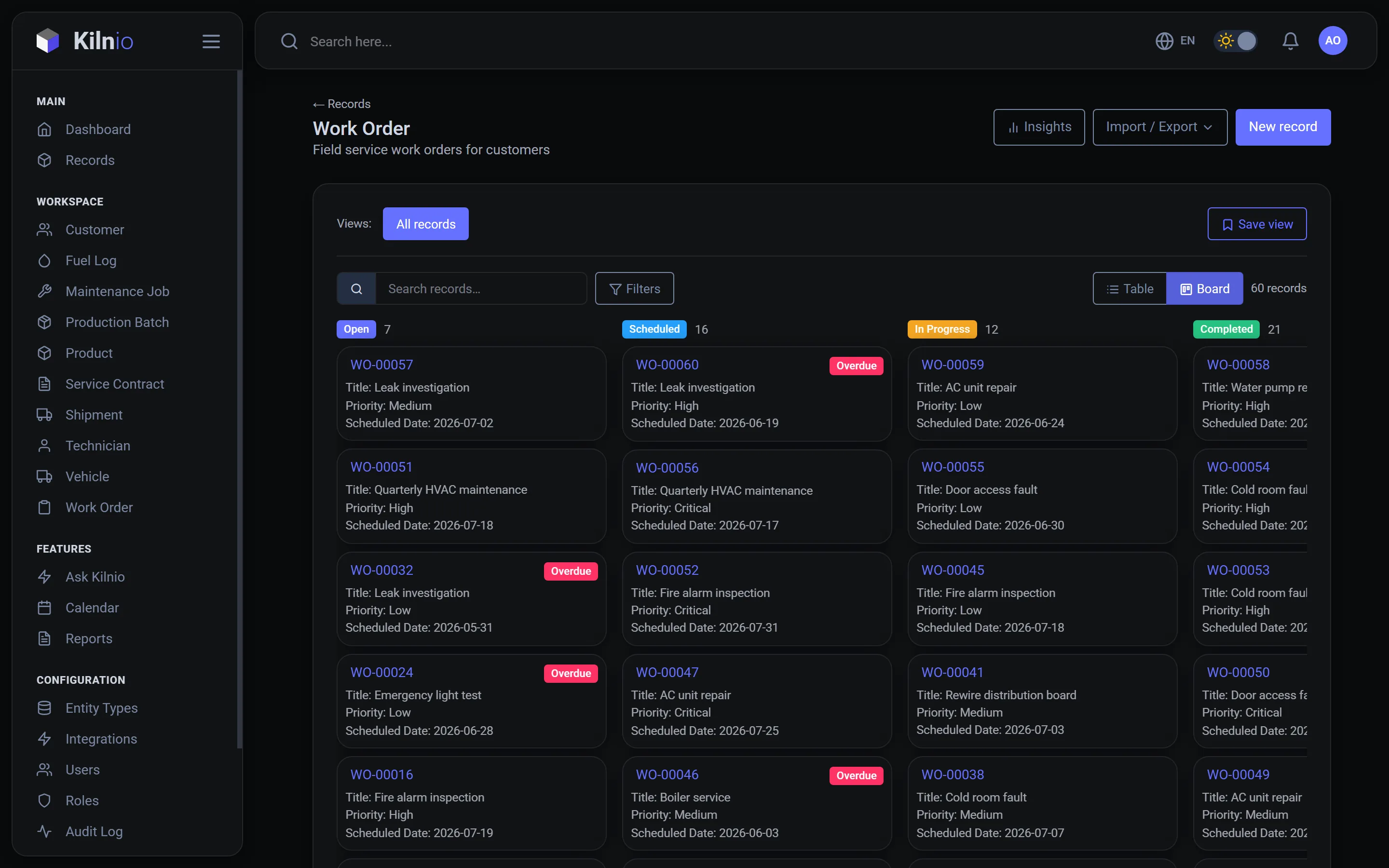
Most work order tools force their form, their statuses and their process on you. Kilnio starts from yours: define the work order your team actually uses, from priority levels to sign-off steps, and change it whenever your process changes.
Free for 3 users. AI import from your existing Excel work orders.
Work order management usually lives in one of two places: a spreadsheet that one person understands, or a heavyweight system built for someone else's industry. Both fail the same way: the tool doesn't match how your team actually works.
Kilnio is a configurable operations platform. Your work order has the fields you need (location, asset, priority, cost, photos, sign-off), the statuses your process really goes through, and rules for who can move what to where. Dispatchers see the calendar, technicians see their queue, managers see the reports. And because it's the same platform underneath, you can add asset registers, vehicle records or customer lists next to your work orders and link everything together.
Text, numbers, dates, dropdowns, checklists, file attachments, references to assets or people. Required or optional, with validations. Renumber with your own reference format (WO-00001 or anything else).
Open, In progress, Waiting for parts, Done, or whatever yours are. Control which roles can make which transitions, with full history of every change.
Work orders with dates appear on the team calendar. Drag to reschedule. Filter by assignee, status or site.
Completed work orders per week, overdue by site, cost by asset. Export Excel or PDF, or schedule reports straight to inboxes.
Upload the spreadsheet you use today. Kilnio proposes the work order structure and imports your rows as live records. See how the Excel import works.
Technicians update their own work orders; only supervisors close them. Fine-grained permissions per record type, with a full audit log.
Kilnio doesn't ship a fixed work order form. You define what a work order means for your business: its fields, its lifecycle statuses, its links to assets, sites or customers. You only see the fields you chose, and you can change them anytime without losing data.
Yes. Upload your spreadsheet and Kilnio's AI proposes a work order structure with fields, statuses and relationships, then imports your rows as live records. You review everything before it's created.
Free for up to 3 users. Paid plans start at €19 per full user per month, with lite seats from €6 for teammates who only work orders and the calendar. See pricing.
Tell us how your team runs work orders today and we'll set up a workspace, usually within a day.
Start free